


If you’re planning to create a website, you’ve probably heard the terms “domain name” and “web hosting” thrown around a lot. But what exactly do they mean, and how do they work together to get your site online?
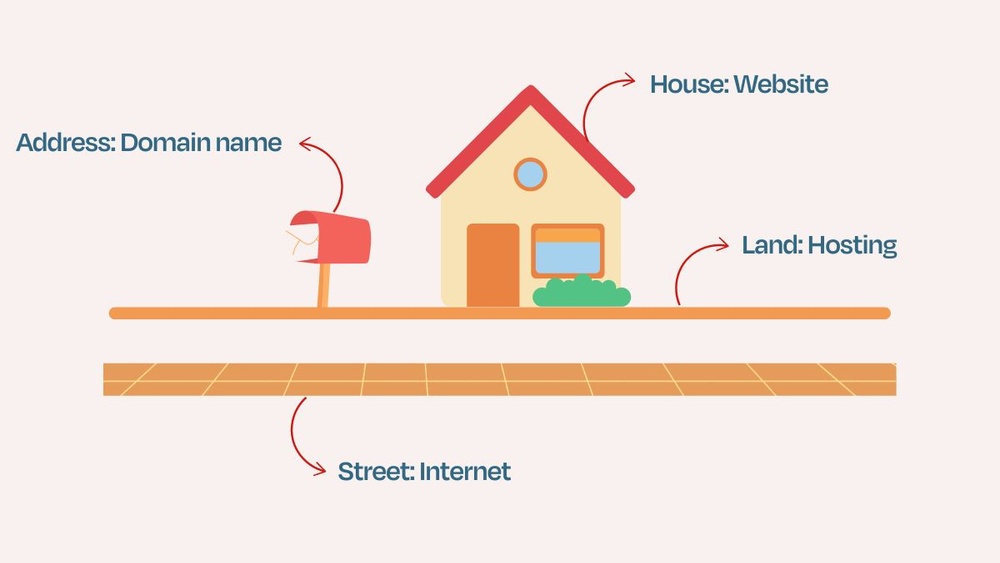
Understanding the difference between a domain name and web hosting is crucial because they play very different roles in building your online presence. Think of your domain name as your website’s address—what people type in to find you. Web hosting, on the other hand, is the space where your website lives, like the house on that address.
Without one or the other, your website simply won’t show up. You’ll discover how these two essentials connect, why you need both, and how making the right choices can save you time, money, and headaches. Ready to clear up the confusion and get your website off the ground? Let’s dive in.
Credit: blog.templatetoaster.com
Domain Name Basics
A domain name is the web address people type to visit your site. It looks like example.com. This name is easy to remember and replaces a long number called an IP address.
Domain names work by connecting to servers that host websites. When you enter a domain, it points your browser to the right server. This server then shows the website you want to see.
Choosing the right domain means picking a name that is simple, short, and related to your content. It should be easy to spell and say. Avoid using numbers or hyphens to keep it clear.
Web Hosting Essentials
Web hosting means storing your website’s files on a server. This server keeps your website online and accessible to users. Without hosting, your site cannot be seen on the internet.
There are several types of web hosting to choose from:
- Shared Hosting: Multiple websites share one server. It is affordable and good for small sites.
- VPS Hosting: A virtual private server gives more control and resources than shared hosting.
- Dedicated Hosting: You get a whole server just for your website. Best for large sites with heavy traffic.
- Cloud Hosting: Uses many servers to host your website. It is scalable and reliable.
Hosting supports websites by providing space, power, and bandwidth. It stores website files, runs scripts, and manages databases. Hosting also ensures your website loads fast and stays online 24/7.
Domain Name Vs Web Hosting
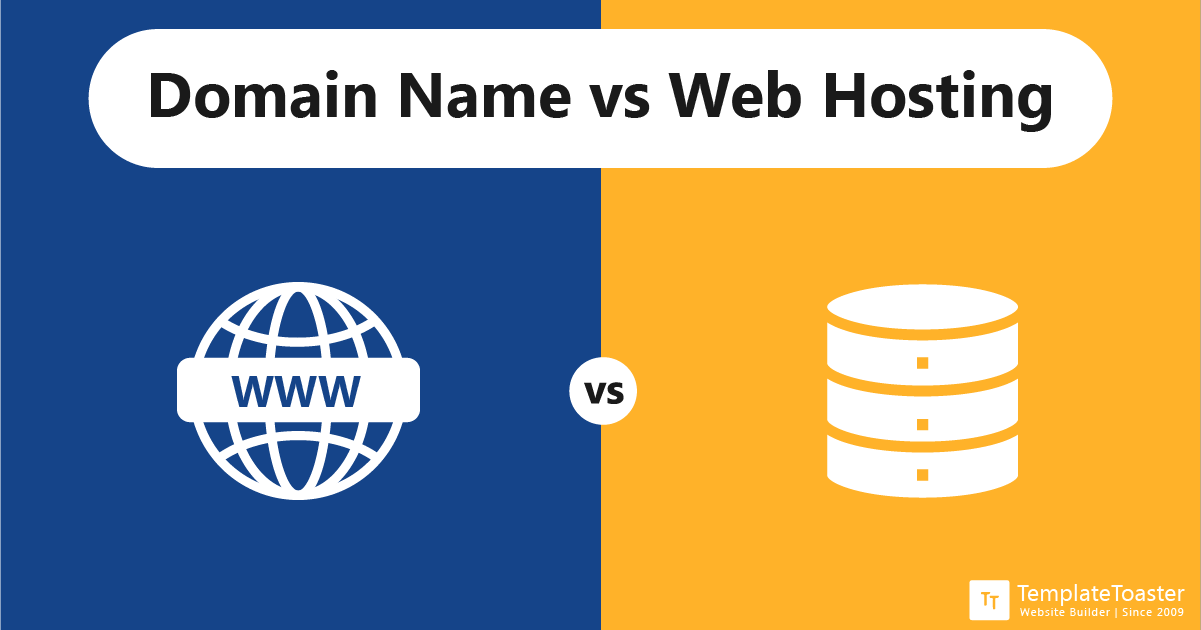
Domain name is the website’s address on the internet, like google.com. It helps people find your site easily. Web hosting is the space on a server where your website’s files are stored. Think of the domain as the street address, and hosting as the house on that address.
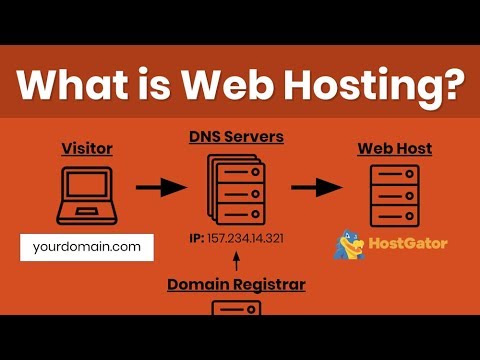
Both are needed to build a website. When someone types your domain, it points to your hosting server. This allows the website to load and show content.
| Core Differences | Description |
|---|---|
| Function | Domain is the easy name for an IP address. Hosting stores website files and data. |
| How They Work Together | Domain directs visitors to the hosting server where the website lives. |
| Why You Need Both | Domain is the address, hosting is the home. Both needed for website access. |
Many companies offer both domain and hosting services together. This makes setup easier by handling technical settings automatically.

Credit: websitesecuritystore.com
Choosing Providers
Domain registrars sell domain names. They help you reserve your website’s address, like example.com. You pay for the right to use that name for a year or more. Popular registrars include GoDaddy and Namecheap.
Hosting providers offer space on servers to store your website files. Without hosting, your website cannot be seen online. They provide the technology that keeps your site running. Examples are Bluehost and SiteGround.
Choosing combined services can save time. Buying both domain and hosting from one company means easier setup. The DNS settings are often pre-configured for you. This reduces technical steps and possible errors. It also makes managing payments simpler.
Managing Domains And Hosting
Domain management means keeping your domain name safe and updated. Always use a strong password for your domain account. Check your contact info regularly to avoid losing control. Set up auto-renewal to stop your domain from expiring. Keep your domain privacy on to protect personal details from public view.
Setting up hosting requires choosing the right plan based on your website needs. Upload your website files via FTP or your host’s control panel. Install any needed software like WordPress easily from hosting tools. Make sure your hosting account has enough space and bandwidth for visitors.
Connecting domain to hosting involves pointing your domain’s nameservers to your hosting provider. This step links your website address to the place where your site files live. Use the nameservers given by your host and enter them in your domain control panel. Wait a few hours for the changes to take effect.
Common Questions
Domain names are like your website’s address on the internet, such as example.com. Web hosting is where your website’s files are stored on a server. Without hosting, your domain cannot show a website.
One provider can often handle both domain registration and hosting. This makes it easier to manage your site, as you get everything in one place. It also means less setup work for you because the provider links your domain to your hosting automatically.
| Service | What It Does | Cost and Renewal |
|---|---|---|
| Domain Name | Gives your website an address (URL) | Usually low cost; renew yearly |
| Web Hosting | Stores your website files on a server | Costs more; renew monthly or yearly |
Credit: www.youtube.com
How Our Company Can Help You with Domain Name Vs Web Hosting
Bridging Understanding with Practical Experience
Grasping the difference between a domain name and web hosting is foundational, but applying this knowledge can deepen your confidence in managing your online presence. Reflecting on earlier sections like Domain Name Basics and Web Hosting Essentials, consider experimenting with registering a domain and pairing it with a hosting service. This hands-on approach clarifies how a domain functions as your website’s address, while hosting acts as the physical space where your site resides.
Additionally, reviewing Choosing Providers with a critical eye can help you weigh the pros and cons based on your specific needs—whether you’re a blogger, developer, or business owner. HostingAdvise’s balanced, evidence-based insights, built on official documentation and user feedback, can guide you through this process thoughtfully.
- Try managing domain settings alongside hosting controls to see how they interact.
- Explore common questions to troubleshoot real scenarios.
For further clarity or nuanced questions, reaching out to knowledgeable forums or support teams can be valuable. This practical learning approach transforms abstract concepts into actionable skills, empowering your website journey.
Frequently Asked Questions
Is A Domain Name The Same As Web Hosting?
A domain name is your website’s address, while web hosting stores your site’s files on a server. They work together but are different.
Is Godaddy A Domain Or Hosting?
GoDaddy is both a domain registrar and a web hosting provider. It sells domain names and offers various hosting plans.
What Are The 4 Types Of Web Hosting?
The four types of web hosting are shared, VPS, dedicated, and cloud hosting. Shared hosts multiple sites on one server. VPS offers virtual private servers with more control. Dedicated provides an entire server for one user. Cloud uses multiple servers for scalability and reliability.
Do I Need Web Hosting For My Domain?
Yes, you need web hosting to store your website files and make your domain accessible online. Without hosting, your domain won’t display a website.
Conclusion
A domain name and web hosting serve different roles for your website. The domain name is your site’s address, easy to remember and share. Web hosting stores all your site’s files on a server, making your website accessible online. Both work together to make your website live and reachable.
Choosing the right domain and hosting helps your site run smoothly. Remember, a website needs both to function properly. Simple to understand, yet essential to start your online presence.









Leave a comment