


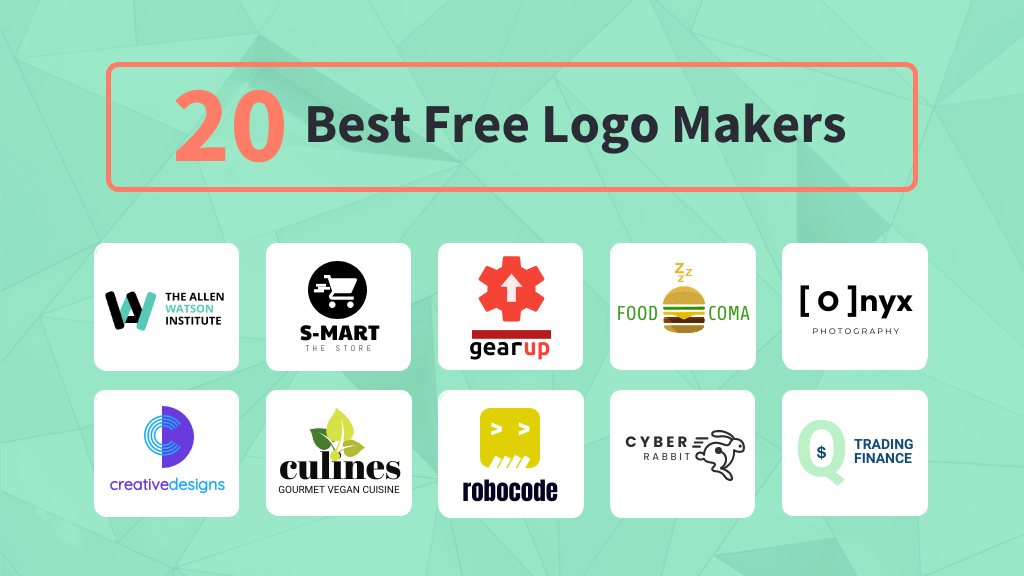

Looking for the best free logo maker to bring your brand to life without breaking the bank? You’re in the right place.
Your logo is the face of your business—it needs to stand out, feel professional, and capture your unique style. But hiring a designer can be expensive and time-consuming. What if you could create a stunning logo yourself, quickly and for free?


Imagine having a powerful tool that guides you step-by-step, making logo design simple, fun, and stress-free. Keep reading, and you’ll discover top free logo makers that deliver high-quality results without hidden costs or complicated software. Let’s help you create a logo that makes your brand unforgettable.
Top Free Logo Makers
Canva Logo Maker is easy to use and offers many templates. It lets you download high-quality logos for free.
Squarespace Logo Maker provides simple tools to create clean logos fast. It is great for beginners.
Adobe Express Logo Maker uses AI to generate logo ideas. You can customize icons and add animations.
VistaPrint AI Logomaker offers quick logo design with many style options. It suits small businesses well.
Tailor Brands creates logos based on your brand style. The interface is user-friendly and clear.
Looka AI combines AI and templates to produce unique logos. It helps you match colors and fonts easily.
Designs AI gives you fast logo options with editing tools. It supports simple branding tasks.
Fiverr Logo Maker connects you with designers and automated tools. You get a mix of human and AI work.
Key Features To Compare
Ease of use means how simple the tool is for beginners. A good logo maker has a clean, easy interface. Customization options allow changing colors, fonts, and icons to match your brand. Logo quality and resolution are important for clear, sharp images on all devices and prints.
Check if the tool offers download formats like PNG, SVG, or JPG. These formats work for websites and print materials. AI assistance helps create logos faster by suggesting designs based on your input. Some makers include animation capabilities to add motion effects, making logos more dynamic.
| Feature | What to Look For |
|---|---|
| Ease of Use | Simple interface, easy steps for beginners |
| Customization Options | Change colors, fonts, icons freely |
| Logo Quality and Resolution | High resolution for clear images |
| Download Formats | Multiple formats like PNG, SVG, JPG |
| AI Assistance | Design suggestions based on input |
| Animation Capabilities | Add simple motion effects to logos |
Choosing Based On Design Style
Minimalist logos use simple shapes and few colors. They look clean and modern. These logos work well for brands wanting a sleek, easy-to-recognize look.
Bold and colorful logos catch the eye with bright colors and strong fonts. They create a fun and energetic vibe. Great for brands that want to stand out.
Vintage and retro designs bring a classic feel with old-style fonts and muted colors. These logos add nostalgia and trust. Perfect for brands that want a timeless appeal.
Animated logos add movement to the design. They grab attention online and in videos. Use these for brands that want a dynamic and modern image.
Icon-driven logos focus on a unique symbol or image. They make the brand easy to spot without words. Ideal for companies wanting a simple, strong visual identity.
Limitations Of Free Logo Makers
Free logo makers often add watermarks to your designs. This can make logos look unprofessional and less unique. Many tools offer only low-resolution files unless you pay. These files are not sharp and lose quality when enlarged.
Some free logos come with restricted commercial use. This means you cannot use the logo for business or marketing without buying a license. Also, free tools often have limited editing options. You may not change colors, fonts, or icons freely.
| Limitation | Details |
|---|---|
| Watermarks and Branding | Logos may have tool’s watermark or branding added |
| Low-Resolution Files | Logos are often low quality and pixelated when scaled |
| Restricted Commercial Use | Usage for business may require payment or license |
| Limited Editing Tools | Few options to customize colors, fonts, or icons |
Tips For Creating Stunning Logos
Choosing the right colors is key to making your logo stand out. Use colors that match your brand’s mood and message. Limit your palette to two or three colors to keep it clean and clear.
Choosing appropriate fonts helps your logo stay readable. Pick simple fonts that look good in small and big sizes. Avoid fancy fonts that can be hard to read.
Incorporating icons and symbols can add meaning to your logo. Use simple shapes or images that relate to your brand. Make sure they do not clutter the design.
Maintaining simplicity makes your logo easy to remember. Avoid too many details or complex patterns. A simple logo works well on all types of media.
Testing logo scalability ensures your design looks good at any size. Check if your logo is clear on small items like business cards and large signs. Adjust details as needed.
Integrating Logos With Branding
Consistency in logo use builds trust and recognition. Use the same logo style and colors on your website, social media, and print. This helps people easily identify your brand everywhere.
On websites and social media, place logos where visitors can see them clearly. Profile pictures, headers, and footers are good spots. Make sure logos look sharp on all devices.
For print and merchandise, choose logo formats that keep quality high. Use vector files for T-shirts, mugs, and business cards. This avoids blurry or pixelated prints.
| Platform | Logo Tips |
|---|---|
| Website | Place in header and footer; keep size consistent |
| Social Media | Use profile and cover images; maintain color scheme |
| Use vector files; select proper size for clarity | |
| Merchandise | Choose durable materials; test logo visibility |
Future Trends In Logo Design Tools
AI logo generation is becoming smarter and faster. It helps create unique logos in minutes. Users can choose styles, colors, and shapes easily. This technology learns from popular designs to suggest fresh ideas.
Customization options now let users adjust fonts, icons, and layouts more freely. This means logos can fit brand needs better. More tools offer drag-and-drop features, making editing simple for everyone.
Many logo makers connect directly with website builders. This allows users to add logos to their sites instantly. It saves time and keeps branding consistent across platforms.
Animated logos are gaining popularity. Moving logos catch attention and look modern. Tools are starting to include easy animation options. This trend helps brands stand out online and on social media.

Credit: www.canva.com
How Our Company Can Help You with Best Free Logo Maker
Learning Through Logo Creation: Practical Insights
Exploring the best free logo maker tools offers more than just a quick design solution—it presents valuable learning opportunities for anyone building a brand. By comparing key features like customization options and design styles, you gain a clearer understanding of how different elements influence brand perception. This hands-on experience helps reinforce the importance of integrating logos thoughtfully within broader branding strategies, a topic we covered earlier.
Additionally, recognizing the limitations of free logo makers encourages creative problem-solving and a deeper appreciation for professional design workflows. At HostingAdvise, our research approach emphasizes evidence-based reviews and verified user feedback, which can guide you in making informed decisions not only about logos but also about essential website tools.
- Experiment with various design styles to see what aligns best with your brand personality.
- Use the process to learn how visual elements communicate messages effectively.
- Understand how free tools can serve as stepping stones toward more advanced branding efforts.
If you want to discuss logo design or website tools further, feel free to reach out via our contact page. Embracing these practical lessons ensures that your branding journey is both creative and strategic.
Frequently Asked Questions
Which Is The Best Free Logo Creator?
Canva ranks as the best free logo creator, offering easy customization and high-resolution downloads without hidden fees. Adobe Express and Squarespace also provide excellent free options with AI features.
Are There Any Truly Free Logo Makers?
Yes, several logo makers offer free logo creation with basic features. Canva and Squarespace provide high-resolution downloads without charges. Many AI tools allow free design but may limit file quality or add watermarks. True free logo makers exist but often restrict advanced options or commercial use.
Is Canva Logo Maker Really Free?
Canva logo maker is free to use for designing logos. Downloading basic logos costs nothing, but premium elements may require payment.
Can Chatgpt Create A Logo For Me?
ChatGPT cannot create logos directly but can help brainstorm ideas or suggest design concepts. Use specialized logo makers for actual design.
Conclusion
Choosing the right free logo maker depends on your needs and style. Many tools let you create a logo quickly and easily. Some offer AI features, while others provide simple design options. Remember to check if the logo quality meets your standards.
Free options like Canva and Squarespace stand out for their ease and results. Try a few to find the best fit for your brand. A good logo helps your business look professional and trustworthy. Start designing today and make your brand memorable.












Leave a comment