



Choosing the right web hosting can feel overwhelming, especially with so many options and technical terms thrown your way. But here’s the truth: your website’s success depends heavily on where it lives online.
If you pick the wrong host, your site could load slowly, crash unexpectedly, or even become vulnerable to hackers. You don’t want that. You want a hosting service that fits your specific needs, keeps your site fast and secure, and doesn’t drain your budget.
You’ll discover simple, clear steps to choose the perfect web hosting for your website—no confusing jargon, just what really matters. Keep reading, and you’ll gain the confidence to make a smart decision that sets your website up for success from day one.
Types Of Web Hosting
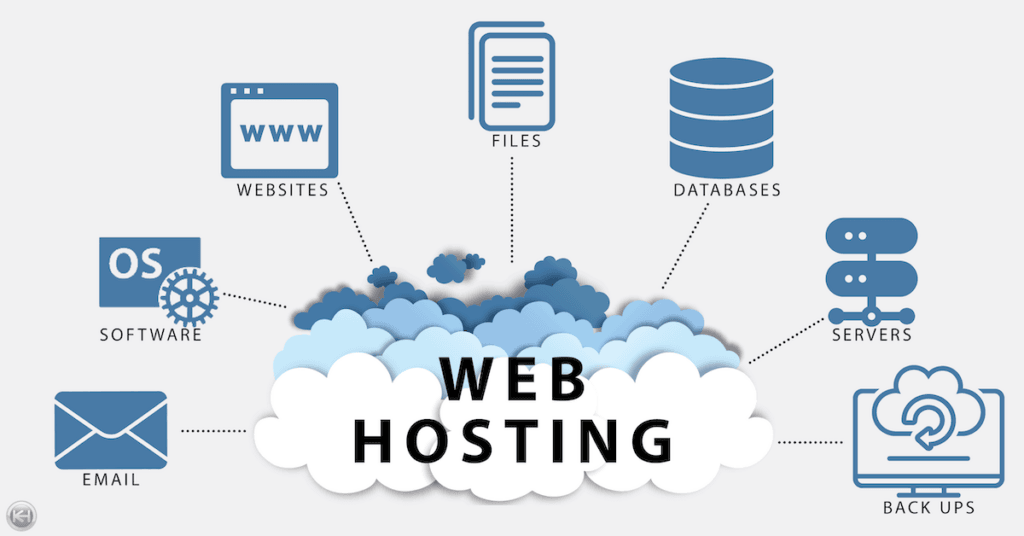
Understanding the types of web hosting is essential for making the right choice. Each hosting type offers different features, performance, and costs. Knowing these options helps match the hosting to your website’s needs. Below are the main types of web hosting you can choose from.
Shared Hosting
Shared hosting is the most affordable option. Multiple websites share the same server resources like CPU, RAM, and storage. This setup works well for small websites or blogs with low traffic. It is easy to manage and usually comes with user-friendly control panels. The downside is slower speed and less control due to shared resources.
Vps Hosting
VPS stands for Virtual Private Server. It splits one physical server into several virtual servers. Each VPS has dedicated resources, offering more power and control than shared hosting. This option suits medium-sized businesses or growing websites that need better performance. VPS allows more customization and handles higher traffic.
Dedicated Hosting
Dedicated hosting provides a whole server for your website alone. It gives full control over the server’s hardware and software. This hosting type is ideal for large websites or online stores with heavy traffic. Dedicated servers deliver excellent speed and security. The cost is higher, but it offers the best performance and reliability.
Cloud Hosting
Cloud hosting uses multiple servers connected in a network. Your website runs on this network instead of a single server. It offers great flexibility and scalability. Cloud hosting adapts to traffic spikes by using extra resources automatically. This makes it a good choice for websites that expect growth or variable traffic levels.
Credit: www.ramotion.com
Assessing Website Needs
Understanding your website needs is the first step in choosing the right web hosting. Each website has unique demands based on its purpose and audience. Assessing these needs helps you select a hosting plan that fits your goals and budget. This section breaks down key factors to consider before making a choice.
Traffic Expectations
Estimate how many visitors your site will get daily or monthly. Small personal blogs need less bandwidth than busy online stores. Hosting providers offer different plans based on traffic limits. Choose one that can handle your expected visitor load without slowing down your site.
Site Functionality
Think about what your website must do. Will it have videos, online stores, or forums? Complex features need more server resources and special software support. Basic websites with only text and images require less power. Match your hosting plan to the functions your site will perform.
Growth Potential
Plan for the future. Your website may grow in visitors and content over time. Select a hosting provider that allows easy upgrades. Moving to bigger plans or adding features should not be difficult or costly. Flexibility will save time and money as your site expands.
Speed And Technology
Speed and technology are key factors in choosing web hosting. Fast websites keep visitors happy and rank better on search engines.
Web hosts use different storage types and server software to improve speed. Understanding these options helps you pick the best host for your site.
Nvme Vs Ssd Storage
NVMe storage is newer and faster than traditional SSDs. It uses a direct connection to the server’s CPU, speeding up data access.
SSD storage is still fast and reliable but slower compared to NVMe. Sites on NVMe hosting load quicker, improving user experience.
Litespeed Servers
LiteSpeed is a web server software designed for speed and efficiency. It handles more visitors with less server resources than Apache.
LiteSpeed also supports caching, which stores copies of your pages. This reduces load times and server strain during high traffic.
Content Delivery Networks
Content Delivery Networks (CDNs) store your website copies on servers worldwide. Visitors load the site from the closest server.
This reduces delay and speeds up loading, especially for global audiences. Many hosts offer CDN services or easy integration options.
Security Features
Security features are vital when choosing web hosting. They protect your website from hackers and data loss. A secure host helps keep your visitors’ information safe. Look for strong security tools that work automatically. These features reduce risks and give you peace of mind.
Free Ssl Certificates
SSL certificates encrypt data sent between your site and users. This prevents hackers from stealing sensitive information. Many hosting providers include free SSL certificates. Having SSL also boosts your site’s trust and search engine ranking. Always choose hosting that offers this for free.
Automated Backups
Backups save copies of your website regularly. If something goes wrong, you can restore your site quickly. Automated backups happen without you lifting a finger. This reduces the chance of losing important data. Make sure your host provides daily or weekly automated backups.
Firewalls And Malware Scanning
Firewalls block unauthorized access to your website. They act like a security gate. Malware scanning checks your site for harmful software. It finds threats early before damage occurs. A good host uses both firewalls and malware scanning. These tools protect your website from attacks and keep it running smoothly.
Resource Allocation
Resource allocation in web hosting determines how well your website performs. It includes the amount of CPU, RAM, bandwidth, and storage space your site receives. Choosing the right allocation keeps your site fast and stable. It also avoids downtime during traffic spikes. Understanding these resources helps match the hosting plan to your website’s needs.
Cpu And Ram Needs
CPU and RAM power your website’s processes. CPU handles tasks like loading pages and running scripts. RAM stores data temporarily for quick access. More visitors and complex features require more CPU and RAM. Small blogs need less power, while e-commerce sites need more. Check the hosting plan’s CPU cores and RAM size before buying.
Bandwidth Requirements
Bandwidth is the data your website sends and receives. It affects how fast pages load and how many visitors you can handle. High traffic or large files use more bandwidth. Streaming videos or downloading files need extra bandwidth. Choose a plan with enough bandwidth to avoid extra fees or slowdowns. Unlimited bandwidth plans are good for growing sites.
Storage Space
Storage space holds your website files, images, and databases. Different hosting types offer varying storage sizes. Shared hosting may have limited space, while dedicated servers offer more. Use SSD storage for faster file access. Consider future growth and backups when selecting storage. Running out of space can cause your site to crash or slow down.

Credit: www.inmotionhosting.com
User Experience And Support
User experience and support play crucial roles in choosing web hosting. A smooth, easy-to-use service saves time and reduces stress. Reliable support helps solve problems quickly. Together, they keep your website running well and visitors happy.
Customer Service Quality
Good customer service is essential. Fast responses reduce downtime and fix issues. Look for 24/7 support through chat, phone, or email. Friendly, knowledgeable staff make a big difference. Check reviews to see how other users rate their support.
Control Panel Usability
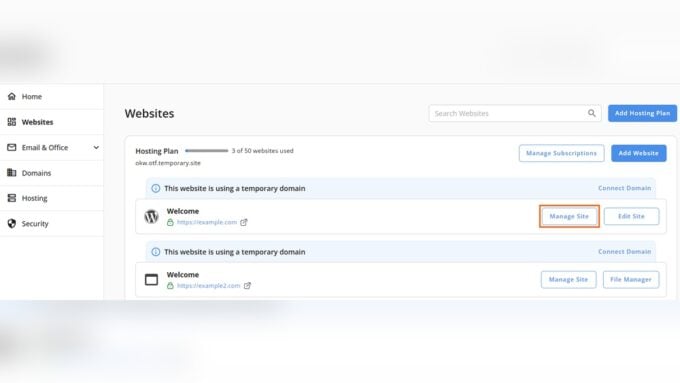
The control panel is your main tool to manage hosting. It should be simple and clear. Easy navigation helps upload files, set up emails, and manage databases. Beginners benefit from intuitive layouts and helpful guides. A good control panel saves time and avoids frustration.
Uptime Guarantees
Uptime means how often your website stays online. Choose hosts with high uptime guarantees, ideally 99.9% or higher. Frequent downtime can hurt your reputation and SEO. Check the provider’s track record and terms of service for uptime promises. Reliable uptime keeps visitors coming back.
Pricing And Plans
Pricing and plans play a crucial role in choosing the right web hosting service. Understanding the cost structure helps avoid surprises later. Different hosts offer various pricing models with distinct features and limitations. It is important to compare plans carefully to get the best value for your money.
Plans may include shared hosting, VPS, dedicated servers, or cloud hosting. Each type comes with different price points and resource allocations. Consider your website’s size and traffic to select a plan that fits your needs. Budget your expenses while ensuring essential features are included.
Introductory Vs Renewal Rates
Many hosts offer low introductory rates to attract new customers. These prices often last for the first billing cycle only. After that, renewal rates can be significantly higher. Check the renewal price before signing up to avoid unexpected costs.
Some providers lock in the introductory price for longer terms if you pay upfront. Others increase prices annually or monthly. Compare both initial and renewal fees to find a plan that remains affordable over time.
Hidden Fees
Hidden fees can increase your overall hosting cost. Common examples include setup fees, domain registration charges, or backup costs. Read the fine print to spot any extra fees.
Look for clear pricing without surprises. Ask the hosting provider about any additional costs before purchase. Transparency in pricing ensures you pay only what is necessary.
Money-back Guarantees
A money-back guarantee offers risk-free trial of the hosting service. Most providers offer a 30-day refund period. This allows you to test the performance and features without losing money.
Check the terms of the guarantee carefully. Some may exclude certain fees or offer partial refunds. Choose a host with a straightforward refund policy for peace of mind.
Popular Hosting Providers
Choosing the right web hosting provider matters. It affects your site’s speed, security, and uptime. Popular hosting companies offer various plans that fit different needs. Understanding the top providers helps you pick the best one for your project.
Below are some of the most trusted names in shared, VPS, and dedicated hosting. They have earned positive reviews for reliability and support. Let’s explore what makes them stand out.
Top Shared Hosting Options
Shared hosting is ideal for small websites and beginners. It shares server resources with other sites. This keeps costs low without sacrificing quality.
Bluehost offers easy setup and strong WordPress support. HostGator provides flexible plans and good customer service. SiteGround is known for fast servers and solid security features. These three serve millions of users worldwide.
Best Vps Hosts
Virtual Private Servers (VPS) offer more power than shared hosting. They give you dedicated resources and better control.
InMotion Hosting delivers excellent speed and scalable options. A2 Hosting stands out with turbo servers that boost performance. DigitalOcean targets developers with simple cloud VPS solutions. Each provides reliable uptime and easy management tools.
Dedicated Hosting Leaders
Dedicated hosting suits large websites with heavy traffic. You get a whole server to yourself. This ensures maximum speed and security.
Liquid Web leads with high-performance dedicated servers and expert support. Hostwinds offers customizable plans and strong network connections. OVHcloud provides global data centers and robust hardware. These providers handle demanding sites effortlessly.
Common Hosting Pitfalls
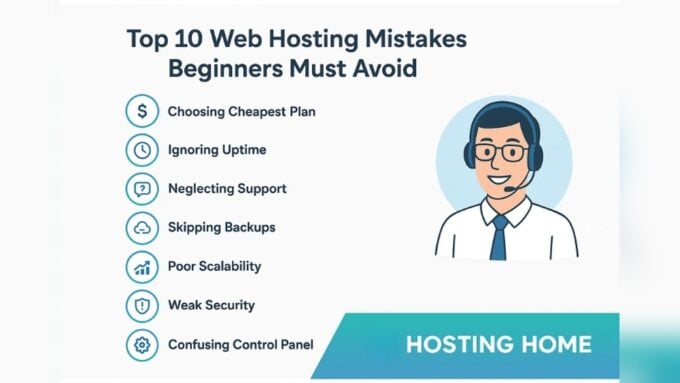
Choosing the right web hosting is critical to your website’s success. Many beginners fall into common traps that waste money and cause frustration. Avoiding these pitfalls helps you build a solid foundation for your site. Learn what to watch out for to make smarter choices.
Overpaying For Features
Some hosting plans include many features you might never use. Paying extra for these adds little value. Focus on essential features like uptime, security, and speed. Ignore flashy add-ons that inflate the price without real benefits. A simple plan often meets your needs better.
Ignoring Scalability
Starting small is fine, but your hosting must grow with your site. Choose a host that easily upgrades resources as traffic rises. Missing this can cause slow loading times or downtime. Check if the host offers flexible plans or cloud options for smooth scaling.
Choosing Poor Support
Good customer support saves time and stress. Many hosts offer 24/7 help, but the quality varies. Poor support can leave you stuck during critical issues. Look for hosts with fast response times, live chat, and helpful staff. Test their support before committing.

Credit: www.bitcatcha.com
How Our Company Can Help You with How to Choose Web Hosting
Practical Steps to Deepen Your Understanding of Web Hosting
Choosing the right web hosting goes beyond just picking a plan; it’s about matching technical features to your website’s unique needs. As you explore options, consider revisiting the “Assessing Website Needs” section to clarify your anticipated traffic and resource demands. Understanding this foundation helps you prioritize “Speed and Technology” features, such as NVMe storage or LiteSpeed servers, which directly impact performance and SEO.
Hands-on learning can be invaluable—setting up trial accounts or leveraging free tiers from popular hosting providers allows you to experience user interfaces and support responsiveness firsthand. This practical approach complements the balanced, evidence-based insights found throughout our content at HostingAdvise, reinforcing your confidence in selecting a hosting solution that fits both your technical requirements and budget.
If you have questions while navigating these choices, consider reaching out to knowledgeable communities or support teams who can provide clarifications without the pressure of sales pitches. Combining research with real-world experimentation is key to making an informed decision.
Frequently Asked Questions
What Is The Best Type Of Web Hosting For Beginners?
Shared hosting is ideal for beginners due to its affordability and ease of use. It offers enough resources for small websites and personal blogs. As your site grows, you can upgrade to VPS or dedicated hosting for better performance.
How Important Is Website Speed In Hosting Choice?
Website speed directly affects user experience and SEO rankings. Choose hosts with SSD or NVMe storage and LiteSpeed servers for faster loading times. A fast host keeps visitors engaged and improves your search engine visibility.
Should I Prioritize Security Features In Web Hosting?
Yes, security is crucial. Look for hosts offering free SSL certificates, automated backups, firewalls, and malware scanning. These features protect your site from cyber threats and help maintain trust with your visitors.
How Much Bandwidth And Storage Do I Need?
Bandwidth and storage depend on your website size and traffic. Small blogs need less, while e-commerce sites require more resources. Choose a host that allows easy upgrades to accommodate your growing needs.
Conclusion
Choosing the right web hosting sets the foundation for your website’s success. Focus on speed, security, and the hosting type that fits your needs. Consider your budget and expected traffic carefully. A reliable host improves user experience and SEO. Take time to compare features before deciding.
Good hosting supports your site as it grows. Keep your site safe with included security tools. Your website deserves a strong and steady home.










Leave a comment