


Choosing the best hosting for beginners can feel overwhelming. You want a service that’s easy to use, reliable, and won’t break the bank.
But with so many options out there, how do you know which one fits your needs? This guide is here to simplify that decision for you. Whether you’re building your first website, starting a blog, or launching a small online store, you’ll find clear, straightforward advice to help you pick the perfect hosting provider.
Keep reading to discover which hosts make getting started smooth and stress-free—so you can focus on growing your site without headaches.

Credit: www.youtube.com
Top Hosting Picks For Beginners
Choosing the right hosting service is crucial for beginners. The best hosts offer easy setup, reliable performance, and helpful support. This section highlights top hosting options that fit beginner needs. Each service brings unique strengths to help you start your website smoothly.
Hostinger: Best Overall Value
Hostinger provides affordable plans with strong features. Its user-friendly control panel simplifies website management. The AI website builder helps beginners create sites quickly. Hostinger offers fast loading speeds and reliable uptime. It is ideal for those on a budget who want solid performance.
Bluehost: Ideal For WordPress
Bluehost is officially recommended by WordPress.org. It offers seamless WordPress integration with one-click installs. The AI onboarding wizard guides beginners through setup easily. Bluehost provides strong security features and regular updates. It suits bloggers and small businesses using WordPress.
Siteground: Premium Support
SiteGround stands out with excellent customer support. Its team is available 24/7 via chat, phone, and tickets. The hosting includes advanced security and daily backups. SiteGround’s servers are optimized for WordPress performance. Beginners who want extra help will appreciate this host.
Dreamhost: Long-term Savings
DreamHost offers affordable plans with no long-term commitments. It provides a 97-day money-back guarantee for risk-free trials. DreamHost has easy WordPress setup and solid performance. The pricing is transparent without hidden fees. This host is great for cost-conscious beginners.
Hostgator: Easy Setup
HostGator offers simple tools for quick website launch. Its website builder has drag-and-drop features for beginners. The control panel is clean and easy to navigate. HostGator provides 24/7 support to resolve issues fast. It suits users who want hassle-free hosting setup.
Hosting Types Made Simple
Choosing the right hosting type can feel tricky for beginners. Hosting Types Made Simple breaks down the main options. Each type fits different needs and budgets. Understanding these basics helps you pick the best start for your website. Let’s explore the common hosting types clearly and simply.
Shared Hosting Basics
Shared hosting means many websites share one server. This keeps costs low. It suits small sites or blogs with low traffic. Hosting companies manage the server for you. You get a control panel to handle your website. Shared hosting is easy to set up and maintain. It has limits on resources like storage and speed. For beginners, it is usually the best choice.
Dedicated Hosting Overview
Dedicated hosting gives you a whole server just for your site. This offers better speed and control. It works well for large websites or those with heavy traffic. You manage the server or hire someone to do it. Dedicated hosting costs more than shared hosting. It requires technical knowledge to handle server settings. Beginners may find it too complex and expensive at first.
Cloud Hosting Options
Cloud hosting uses many servers working together online. It offers flexible resources that scale with your site’s needs. Your website stays online even if one server fails. Cloud hosting can be affordable or pricey, depending on use. It suits sites that expect growth or sudden traffic spikes. Beginners get reliability and easy upgrades. Some cloud hosts provide simple control panels for ease of use.
Website Builders Vs WordPress
Website builders like Wix or Squarespace include hosting and design tools. They use drag-and-drop editors and need no coding. Builders are great for simple sites or portfolios. WordPress is a popular content management system. It offers more control and customization but needs separate hosting. WordPress suits blogs, stores, or complex websites. Beginners can start with website builders, then move to WordPress as they grow.
Key Features To Look For
Choosing the right hosting service is important for beginners. It can make building and managing a website easier and less stressful. Knowing the key features to look for helps you pick a hosting plan that fits your needs and budget. Here are some essential features to consider before making a decision.
User-friendly Control Panels
A simple control panel saves time and reduces confusion. Beginners should choose hosts with easy-to-navigate dashboards. Popular control panels like cPanel or custom interfaces make managing files, databases, and emails straightforward. This feature helps you focus on building your site instead of learning complex tools.
Affordable Pricing Plans
Cost matters when starting out. Look for hosting providers with clear, affordable plans. Many offer low-cost introductory rates and flexible monthly or yearly billing. Avoid hosts with hidden fees or expensive renewals. Affordable pricing allows you to invest more in your website’s growth later.
Customer Support Quality
Good customer support is crucial for beginners. Choose hosts that provide 24/7 assistance through chat, phone, or email. Fast and helpful responses solve problems quickly. A responsive support team can guide you through technical issues and keep your website running smoothly.
Free Domain And Ssl
Some hosting plans include a free domain name for the first year. This saves money and simplifies setup. Also, free SSL certificates protect your website and boost search engine rankings. SSL shows visitors your site is secure, which builds trust and confidence.
Ai Tools And Website Builders
AI tools and easy website builders help beginners create sites fast. Drag-and-drop builders require no coding skills. AI assistants can suggest designs or content ideas. These features make launching your site easier and less time-consuming.

Credit: kimscotland.com
Choosing Hosting For Your Website
Choosing the right hosting for your website sets the foundation for success. Hosting affects your site’s speed, security, and reliability. Picking a suitable option depends on your website type and goals. Beginners benefit from simple, user-friendly services that offer good support and scalability. Understanding your needs helps find the best hosting for your project.
Selecting The Right Platform
Start by deciding on the platform your website will use. Many beginners choose WordPress for its flexibility and ease of use. Some prefer drag-and-drop website builders for quick setup without coding. Consider what fits your skills and website goals. A good host supports popular platforms and offers one-click installations.
Building A Portfolio Or Blog
Portfolio and blog sites usually need fast loading and easy content management. Hosting that offers strong uptime and simple site builders works well. Look for plans with enough storage for images and posts. Options with built-in SEO tools can help your site get noticed online.
Starting An Online Store
Online stores need secure hosting with reliable performance. Features like SSL certificates and daily backups protect your data and customers. Choose hosting with e-commerce support and payment gateway integration. Scalability is key to handle traffic spikes during sales or promotions.
Scalability And Growth
Think about your website’s future growth before picking a host. Some hosts offer easy upgrades from basic to advanced plans. This helps your website handle more visitors and features over time. Hosting that grows with you avoids costly and complex migrations later.
Avoiding Common Hosting Pitfalls
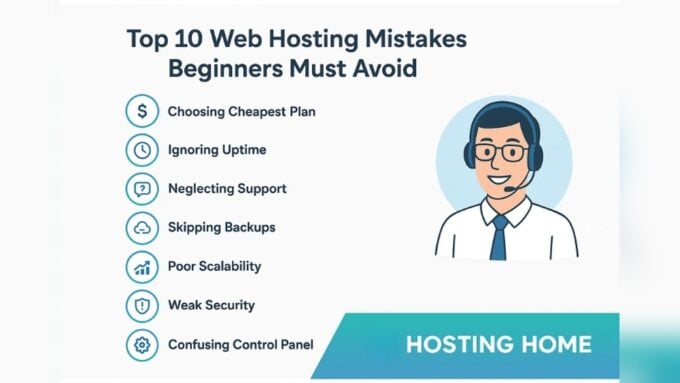
Choosing the right hosting is crucial for beginners. Many face common problems that slow down their websites or cause unexpected costs. Avoiding these pitfalls saves money and stress. This section highlights key issues to watch out for when selecting hosting.
Hidden Fees And Renewal Costs
Some hosts offer low prices at first but charge more later. Extra fees can appear for backups, SSL certificates, or site migrations. Renewal costs often rise sharply after the first term. Check all prices carefully before buying. Know what you pay upfront and later.
Slow Load Speeds
Speed matters for user experience and search rankings. Cheap hosting can mean slow servers or shared resources. Slow websites lose visitors and hurt your reputation. Test hosting speed or read reviews before choosing. Fast hosting keeps visitors happy and engaged.
Limited Customer Support
Good support helps solve problems fast. Beginners need quick answers and clear guidance. Some hosts limit support hours or channels. Others have slow response times or unhelpful staff. Pick a host with 24/7 support and multiple contact options. Reliable help reduces downtime and frustration.
Unreliable Uptime
Website downtime means lost visitors and sales. Hosting providers promise uptime but not all deliver. Frequent outages damage your site’s credibility. Look for hosts with uptime guarantees of 99.9% or higher. Use monitoring tools to check reliability over time.
Getting Started Quickly
Starting with web hosting should not be hard or slow. A fast setup helps beginners build confidence. This section guides you through easy steps to get online quickly. Simple tools and clear instructions make the process smooth.
Setting Up Your Account
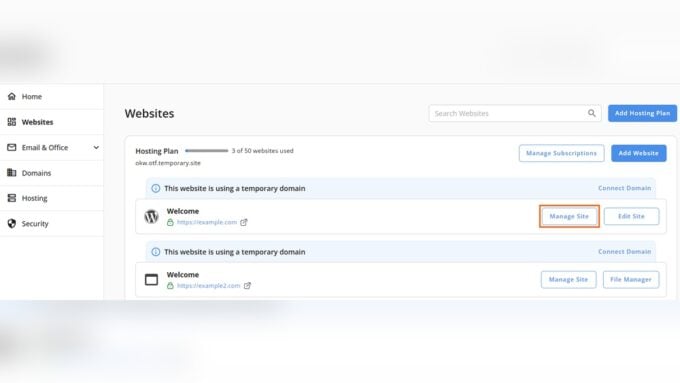
First, choose a hosting plan that fits your needs. Next, create your account by entering basic information. Use a secure password for safety. Most hosts send a confirmation email to verify your details. After confirming, you gain access to your control panel. This panel is where you manage your website and settings.
Using Ai Onboarding Wizards
Many hosts offer AI wizards to help beginners. These tools guide you step-by-step to set up your site. The wizard can suggest themes, plugins, and site layouts. It adapts based on your goals and preferences. This saves time and reduces confusion. You do not need prior technical skills to use these wizards.
Launching Your First Website
After setup, it is time to launch your site. Use the control panel to install a website builder or CMS like WordPress. Choose a simple theme to start. Add basic pages like About and Contact. Preview your site to check how it looks. Finally, publish your site live on the internet. You can update it anytime as you learn more.
Migrating Existing Sites
Moving a current website to a new host can be easy. Many hosts provide free migration services. They transfer your files and databases for you. Alternatively, use migration plugins if you prefer to do it yourself. Always back up your site before starting. After migration, test your site to ensure all works well. This prevents downtime or data loss.
Extra Tips For Beginners
Choosing the right web hosting service can be tricky for beginners. Extra tips help you avoid common pitfalls. These tips make your hosting experience smoother and more secure. Follow simple steps to gain confidence in your choice.
Reading User Reviews
User reviews show real experiences with hosting providers. They reveal strengths and weaknesses not shown in ads. Look for reviews from people with similar needs. Pay attention to comments on uptime, speed, and support. Avoid hosts with many negative reviews or unresolved complaints.
Using Free Trials And Money-back Guarantees
Free trials let you test services without risk. Money-back guarantees protect your money if unhappy. Use these offers to explore the control panel and features. Make sure the host’s speed and ease of use meet your needs. Cancel early if the service does not fit your plan.
Leveraging Community Forums
Community forums offer advice from other users and experts. They help solve common problems quickly. Join forums related to your hosting provider or website type. Ask questions and read tips about setup, plugins, and security. Forums provide support beyond official customer service.
Keeping Security In Mind
Security protects your website and visitors from attacks. Choose hosts with SSL certificates included or easy setup. Look for features like automatic backups and malware scanning. Keep your software updated to fix vulnerabilities. A secure host saves you time and protects your data.

Credit: www.brizy.io
How Our Company Can Help You with Best Hosting for Beginners
Bridging Hosting Choices with Practical Learning
Understanding the best hosting for beginners is just the starting point. To build confidence in managing your website, it’s helpful to engage with practical learning opportunities that complement your hosting choice. For instance, revisiting key features to look for—such as intuitive control panels or integrated site builders—can deepen your familiarity with the platform’s capabilities.
Additionally, exploring common hosting pitfalls through real-world scenarios offers valuable lessons in troubleshooting and decision-making. This hands-on approach aligns well with HostingAdvise’s mission, which emphasizes evidence-based guidance and verified user feedback to support informed choices.
- Experiment with demo environments or trial periods to get comfortable with your hosting type.
- Follow step-by-step tutorials focused on getting started quickly, reinforcing your understanding.
- Leverage community forums and official documentation to resolve issues and learn best practices.
For further insights or personalized advice, reaching out to knowledgeable resources—such as HostingAdvise’s support or consulting official hosting documentation—can make your learning journey smoother and more effective.
Frequently Asked Questions
What Is The Best Hosting For Beginners In 2026?
Hostinger is widely recommended for beginners due to affordable pricing, easy setup, and an intuitive control panel. Bluehost and DreamHost are great alternatives, especially for WordPress users. These options provide user-friendly features that simplify website creation and management for novices.
Which Hosting Is Easiest To Use For Beginners?
Hostinger and Bluehost offer beginner-friendly interfaces with drag-and-drop builders and AI onboarding wizards. These features help beginners build websites quickly without technical knowledge. Their customer support and tutorials also make the hosting experience smoother.
Should Beginners Choose Shared Or Dedicated Hosting?
Beginners should start with shared hosting because it is affordable and simple to manage. Dedicated hosting is more expensive and better suited for advanced users needing high performance and full server control. Shared plans cover most beginners’ website needs.
Is Bluehost Good For Beginner WordPress Sites?
Yes, Bluehost is officially recommended by WordPress. org and offers seamless WordPress integration. It includes an AI onboarding wizard and optimized WordPress hosting, making it an excellent choice for beginners focused on blogging or small business sites.
Conclusion
Choosing the right hosting makes building a website easier. Start with a provider that offers simple tools and good support. Affordable plans help you learn without stress. Focus on what fits your website’s needs best. Remember, a reliable host keeps your site online and fast.
Take your time and pick wisely for a smooth start. Your website journey begins with the right hosting choice.










Leave a comment