



If your WordPress site feels slow or clunky, you’re not alone—and the fix might be simpler than you think. The right cache plugin can speed up your website, improve user experience, and boost your search rankings.
But with so many options out there, how do you choose the best WordPress cache plugin for your needs? You’ll discover which plugins deliver real results, save you time, and keep your site running smoothly. Ready to make your website faster and more reliable?


Let’s dive in and find the perfect caching solution for you.
Why Cache Plugins Matter
Cache plugins help websites load faster by saving data temporarily. This reduces the time needed to show pages to visitors. Faster sites keep users happy and reduce bounce rates.
Speed is a key factor for SEO rankings. Search engines prefer websites that load quickly. Cache plugins improve site speed by storing copies of pages and files for quick delivery.
Better speed also improves user experience (UX). Visitors can navigate easily without waiting. This leads to more page views and longer visits, which benefits site growth.

Credit: www.samarpaninfotech.com
Types Of WordPress Caching
Browser caching stores website files in a visitor’s browser. This makes pages load faster on return visits. Files like images, CSS, and JavaScript are saved locally. It reduces server requests and speeds up browsing.
Opcode caching saves compiled PHP code. This stops PHP from compiling scripts every time. It lowers server load and improves response time. Opcode caching is done by tools like OPcache.
Page caching saves full HTML pages. When a visitor requests a page, the cached version shows instantly. It cuts down database queries and PHP processing. This boosts site speed, especially for busy sites.
Object caching stores database query results in memory. It helps WordPress fetch data faster. This method improves performance for dynamic sites with many visitors. Object caching uses systems like Memcached or Redis.
Top Cache Plugins For 2026
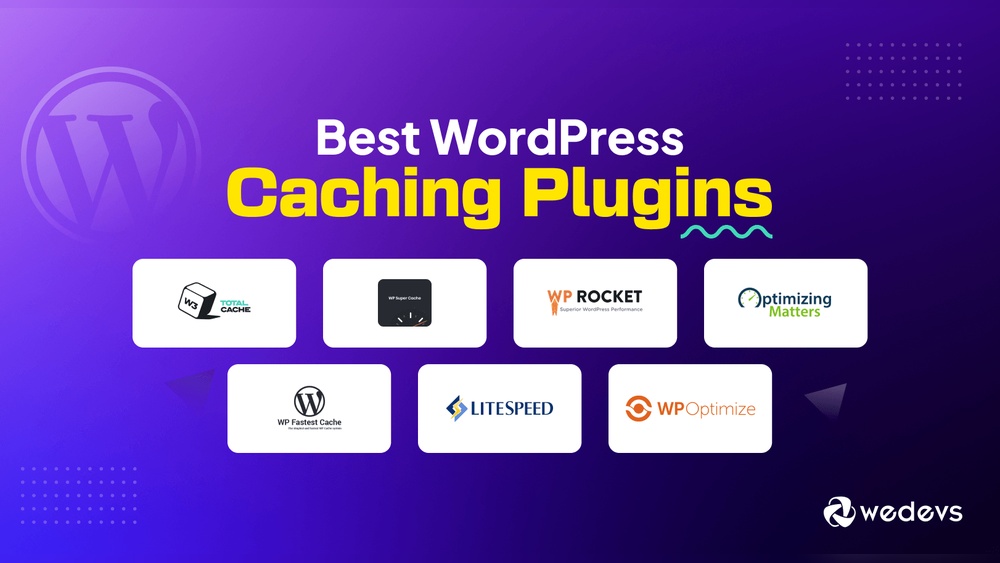
WP Rocket is easy to use and boosts site speed fast. It has many features like caching, lazy loading, and database cleanup. This plugin works well for beginners and experts.
LiteSpeed Cache offers great performance with server-level caching. It supports image optimization and CDN integration. This plugin is perfect for sites on LiteSpeed servers but works on others too.
WP Fastest Cache is simple and effective. It creates static HTML files to reduce server load. It also offers minification, browser caching, and CDN support.
WP Optimize cleans your database and caches pages. It helps improve loading times and reduces bloat. This plugin combines caching and optimization in one tool.
Autoptimize focuses on optimizing scripts and styles. It minifies CSS, JavaScript, and HTML files. This plugin works well alongside caching plugins for better speed.
Free Vs Premium Plugins
Free WordPress cache plugins offer basic features like page caching and simple setup. They help improve site speed but may lack advanced options.
Premium plugins include more features such as database optimization, lazy loading, and better support. These can boost performance more effectively.
| Feature | Free Plugins | Premium Plugins |
|---|---|---|
| Page Caching | Included | Included |
| Database Optimization | Limited or None | Available |
| Image Lazy Loading | Rarely | Yes |
| Support | Community Forums | Priority Support |
| Cost | Free | Usually $30 – $100/year |
Premium plugins often deliver faster loading times due to extra features. Free plugins can be enough for small sites.
Cost matters. Free plugins have no fees. Premium plugins require payment but offer more tools and support.
Key Features To Look For
Easy setup matters most. A good cache plugin should install and run without fuss. It should have clear instructions and simple controls. This saves time and frustration.
Compatibility with themes and plugins is key. Some cache plugins may cause conflicts or break site features. Choose one that works well with your current theme and other plugins.
Support and updates keep your site safe and fast. Regular updates fix bugs and improve performance. Good support helps solve problems quickly.
Customization options let you control caching rules. You can choose what to cache and what to exclude. This helps optimize speed without breaking functionality.

Credit: www.shoutmeloud.com
How To Choose The Right Plugin
Start by assessing your site’s needs. Identify if your site has heavy traffic or many images. Some plugins work better for blogs, others for online stores. Choose one that fits your website size and type.
Test plugin performance before final use. Check how fast your site loads with the plugin activated. Use tools like Google PageSpeed or GTmetrix. Look for plugins that reduce load time without errors.
Read user reviews on official sites and forums. Pay attention to feedback about speed, ease of use, and support. Avoid plugins with many complaints or recent negative changes. Reviews often reveal real user experiences.
Common Caching Issues
Cache conflicts happen when two or more caching plugins try to work together. This can cause slow loading or broken pages. Avoid running multiple cache plugins at the same time. Clear your browser cache and plugin cache after changes.
Troubleshooting tips include deactivating all cache plugins and activating one by one. This helps find which plugin causes problems. Check plugin settings for conflicts with other tools like CDN or security plugins.
When to clear cache:
- After updating your site content or design
- When you see outdated pages
- If your site acts slow or shows errors
- After plugin or theme updates
Optimizing Cache Settings
Optimizing cache settings boosts site speed and reduces server load. Adjust cache expiration times carefully. Shorter times keep content fresh; longer times improve load speed. Combine caching with a Content Delivery Network (CDN) to serve content faster worldwide. CDNs store copies of your site in many locations. This reduces latency and speeds delivery.
Mobile caching needs special care. Mobile devices often have slower connections. Enable separate caching rules for mobile users. This makes the site load faster on phones and tablets. Clear cache regularly to avoid showing outdated content. Also, exclude dynamic pages like carts from caching to prevent errors.
Credit: buddyboss.com
How Our Company Can Help You with Best WordPress Cache Plugin
Practical Tips for Exploring the Best WordPress Cache Plugin
Choosing the right cache plugin is just the beginning. To truly benefit, it’s valuable to engage with practical learning opportunities that deepen your understanding of caching concepts and settings. For instance, revisiting the sections on Types of WordPress Caching and Optimizing Cache Settings can help you experiment with configurations tailored to your site’s needs. Hands-on testing not only highlights how different plugins affect your site speed but also reveals common issues you might encounter.
At HostingAdvise, we emphasize evidence-based guidance drawn from official documentation and verified user feedback, which can be a reliable compass as you troubleshoot and fine-tune your cache plugin. If you’re new to caching or want more personalized advice, don’t hesitate to reach out to hosting or plugin support forums, where community expertise often fills the gaps.
- Test different cache types to see which works best for your setup
- Adjust settings incrementally to avoid conflicts or performance drops
- Leverage trusted resources to stay updated on best practices
Remember, practical experience combined with trustworthy information leads to confident decisions and better website performance.
Frequently Asked Questions
What Is The Best WordPress Cache Plugin For Speed?
WP Rocket is widely regarded as the best for speed. It offers easy setup, advanced caching, and optimization features that boost website performance effectively.
Are Free WordPress Cache Plugins Reliable?
Yes, many free plugins like LiteSpeed Cache and WP Fastest Cache provide reliable caching and speed improvements without cost, suitable for most websites.
How Does A WordPress Cache Plugin Improve Seo?
Cache plugins speed up your site by storing static content. Faster loading times improve user experience and positively impact SEO rankings.
Can Caching Plugins Reduce Server Load On WordPress?
Absolutely. Caching plugins serve stored pages to visitors, lowering server resource use and improving site stability during traffic spikes.
Conclusion
Choosing the right WordPress cache plugin improves site speed and user experience. Fast loading pages keep visitors engaged and reduce bounce rates. Each plugin offers unique features for different needs and budgets. Test a few options to find what fits your site best.
Regular updates and simple settings ensure smooth performance. A good cache plugin supports your website’s growth and reliability. Start optimizing today to see noticeable improvements in your WordPress site.












Leave a comment