


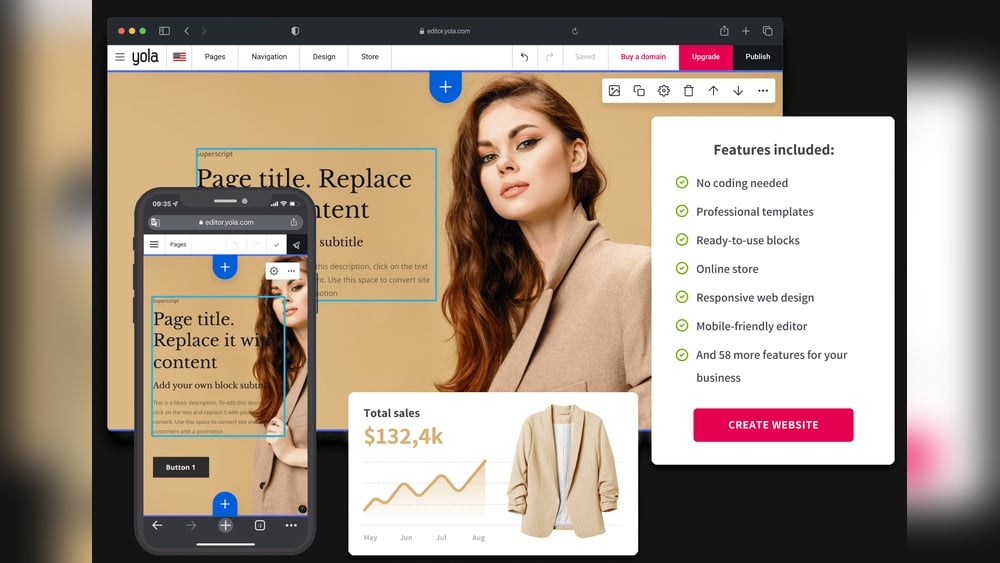
Looking to grow your small business online but don’t know where to start? Building a website might seem overwhelming, but the right website builder can make it simple and stress-free.
Imagine having a professional, eye-catching site that attracts customers, showcases your products or services, and works smoothly—without needing any coding skills. Whether you want to sell products, book appointments, or just share your story, the perfect website builder is out there waiting for you.
Keep reading to discover how you can create your own powerful online presence quickly and easily, so your business stands out and succeeds.
Choosing The Right Website Builder
Choosing the right website builder depends on your business type and goals. Squarespace suits service-based businesses like restaurants or portfolios. Wix offers flexible templates and is easy for beginners. Shopify works best for online stores needing powerful sales tools.
| Platform | Best for | Key Features | Pricing |
|---|---|---|---|
| Squarespace | Service businesses | Beautiful templates, no coding | Starts at $16/month |
| Wix | Small businesses, beginners | Flexible design, easy editor | Free plan, paid from $14/month |
| Shopify | Online stores | Strong sales tools, scalable | Starts at $29/month |
Focus on features like ease of use, customization, and pricing. Match the builder to what your business needs most.

Credit: stewartgauld.com
Designing Your Small Business Website
Using templates and themes helps create a professional look fast. Templates give you a ready-made design. Themes control colors, fonts, and styles. Choose one that fits your business type. Many builders offer free and paid options.
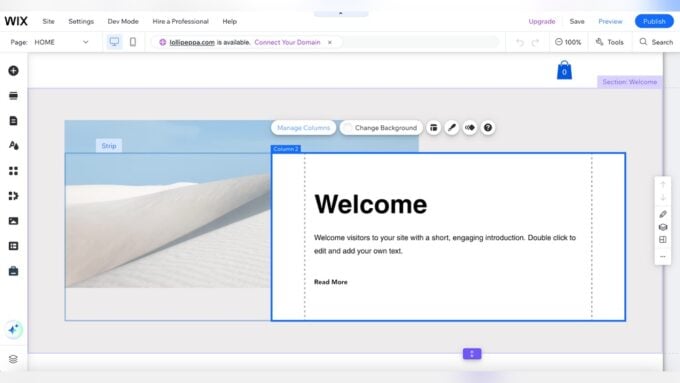
Drag-and-drop editors make customization easy. You can move text, images, and buttons without coding. This tool saves time and allows you to see changes live. It suits beginners and those with little tech skills.
Adding brand elements is key for recognition. Use your logo, colors, and fonts consistently. This creates a strong identity online. Upload your logo and match website colors to your brand palette. Keep fonts simple and readable.
Essential Tools To Boost Sales
E-commerce features let small businesses sell products online easily. Adding a shopping cart, payment options, and product pages helps customers buy quickly. Appointment scheduling tools make booking simple for services like salons or consultations. Customers can choose times that fit their schedules without calling.
Marketing and SEO tools improve website visibility on search engines. Use built-in SEO settings to add keywords and descriptions. Email marketing tools help send newsletters and promotions to customers. Social media integration connects your site with platforms like Facebook and Instagram.
| Tool | Benefit |
|---|---|
| E-commerce Features | Sell products online with ease and secure payments |
| Appointment Scheduling | Let customers book services anytime |
| Marketing & SEO Tools | Improve website rank and attract more visitors |
Optimizing User Experience
Mobile-friendly design makes your site easy to use on phones and tablets. It helps visitors find information quickly. Pages must fit small screens without zooming or scrolling sideways.
Fast loading times keep visitors from leaving your site. Slow pages cause frustration and lost customers. Compress images and use simple layouts to speed up loading.
Clear calls to action guide users toward desired actions. Buttons like “Buy Now,” “Contact Us,” or “Sign Up” should stand out. Use contrasting colors and place them where users can see easily.
Leveraging Ai And Automation
AI helps create content fast and easy. It writes articles, product descriptions, and blog posts. Small businesses save time and money this way.
Automation keeps customers engaged 24/7. Automated emails and notifications remind customers about offers and updates. This builds trust and loyalty over time.
Chatbots answer common questions instantly. They guide visitors, book appointments, and handle simple tasks. Virtual assistants can also help with orders and support. This means faster service and happier customers.

Credit: www.marketermilk.com
Managing Your Website Efficiently
Updating content regularly keeps your website fresh and interesting. Fresh content helps attract visitors and improves search engine rankings. Set a simple schedule to add new text, images, or offers. Even small changes can make a big difference.
Tracking performance metrics shows how well your website works. Check visitor numbers, popular pages, and where visitors come from. Use easy tools like Google Analytics to find this data. Knowing these details helps you improve your site step by step.
Handling security and backups protects your website from problems. Use strong passwords and update software often. Regular backups save your work in case of errors or attacks. Store backups safely and test them sometimes to ensure they work.
Scaling Your Website As Business Grows
Adding advanced features can help your website serve customers better. Features like live chat, booking systems, or customer reviews build trust and improve user experience. Choose tools that fit your business needs and stay easy to manage.
Upgrading hosting and plans is important as traffic grows. Higher-tier plans provide faster load times and more storage. This keeps your site running smoothly and reduces downtime, making visitors happy.
Expanding sales channels allows reaching more customers. Integrate your website with social media, marketplaces, or email marketing. This helps attract new buyers and keeps current ones engaged without extra hassle.

Credit: zapier.com
How Our Company Can Help You with Website Builder for Small Business
Practical Learning Opportunities with Website Builders
Exploring a website builder for your small business opens doors to valuable hands-on learning. As you design your site, you’ll naturally engage with key concepts like optimizing user experience and integrating essential sales tools. This practical approach enhances your understanding of how design choices impact visitor behavior and conversion rates.
Additionally, managing your website efficiently often involves experimenting with automation features and AI integrations. These experiences can deepen your grasp of digital marketing strategies and streamline daily operations. HostingAdvise encourages a balanced, evidence-based perspective, emphasizing research from official documentation and verified user feedback to inform your decisions.
- Practice optimizing navigation and site speed to improve user satisfaction.
- Test different sales-boosting tools to see which align best with your business goals.
- Explore automation to save time and maintain consistency.
If you need further insights or personalized guidance, reaching out to experts familiar with web hosting and building tools can be beneficial. This way, your learning journey remains grounded in professional, trustworthy advice tailored to beginners and seasoned users alike.
Frequently Asked Questions
Can Chatgpt Build Me A Website?
ChatGPT can assist in building a website by generating code, content, and design ideas. You must review and customize its output.
What Is The Easiest Website Builder For A Small Business?
Wix offers an easy drag-and-drop editor with customizable templates, ideal for small businesses without coding skills. Squarespace suits service-based businesses with beautiful designs. Shopify excels for e-commerce stores needing robust sales tools. Choose based on your business type and goals.
Do I Need An Llc To Run A Website?
You don’t need an LLC to run a website. An LLC offers legal protection and tax benefits but is optional for most websites. Choose based on your business goals and liability concerns.
Is Google Website Really Free?
Yes, Google Sites lets you create and publish websites for free. It includes hosting and basic features without charge.
Conclusion
Choosing the right website builder helps your small business grow online. Focus on tools that fit your budget and skill level. Simple editors make website creation faster and easier. Templates save time and keep your site professional. Remember to update your site regularly for best results.
A good website attracts customers and builds trust. Start building today and watch your business thrive.












Leave a comment