


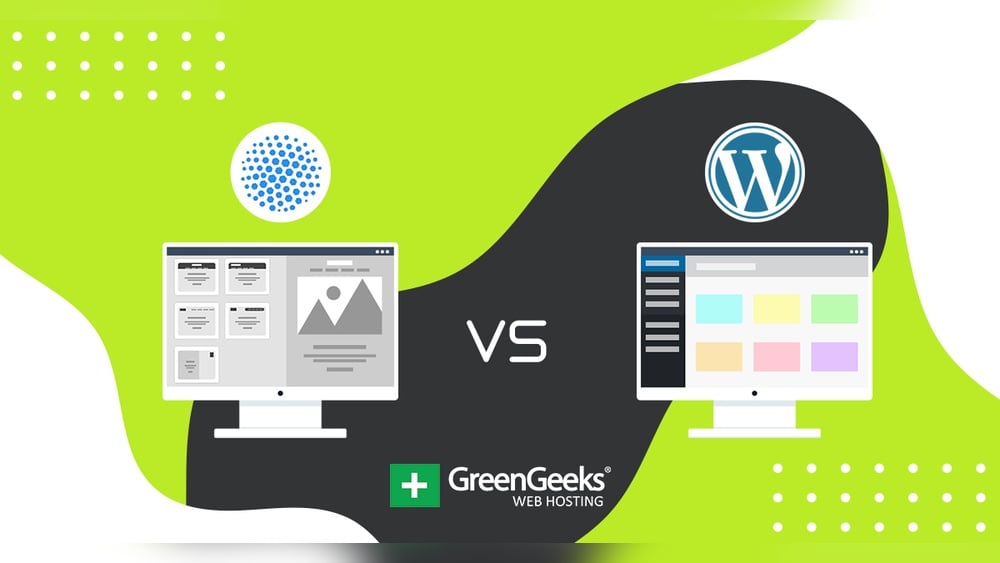

Are you trying to decide between using a website builder or WordPress for your next website? This choice can feel overwhelming because both options have their own strengths and drawbacks.
You want a website that looks great, works smoothly, and grows with your needs—but which platform will help you achieve that without headaches? Whether you’re building your first site or considering a switch, understanding the clear differences between website builders and WordPress will save you time, money, and frustration.


Keep reading to discover which option fits your goals best and how it can set you up for success.

Credit: www.gravityforms.com
Key Differences
Control versus convenience is the main difference. WordPress offers full control over your website. You manage the hosting, updates, and security. This means you can change almost anything, but it needs time and effort. Website builders like Wix or Squarespace handle hosting and maintenance for you. They are easy to use and fast to set up, but limit how much you can customize.
Hosting and maintenance on WordPress require separate service purchases. You must update plugins and backups yourself. Website builders include hosting and updates in one plan. This means less work but less control.
Customization options on WordPress are almost unlimited. You can add many plugins and themes or change code. Website builders offer templates and apps but less freedom to change design or features.
Data ownership and portability differ greatly. WordPress users own their data and can move it anywhere. Website builders keep your data locked in their system. Moving your site can be hard or impossible.
Ease Of Use
WordPress has a steeper learning curve. Beginners may need days to understand it fully. Setup time can take from a few days to a week. The user interface is less intuitive, with many options and plugins to explore. Design tools are powerful but need some technical skills.
Website builders like Wix or Squarespace are easier to start. Most users can set up their site in less than an hour. The user interface is simple and clean, designed for quick drag-and-drop editing. Design tools are built-in and beginner-friendly, with many templates ready to use.
| Feature | WordPress | Website Builders |
|---|---|---|
| Learning Curve | Steeper, takes days | Very beginner-friendly |
| Setup Time | Few days to a week | Less than an hour |
| User Interface | Complex, many options | Simple, drag-and-drop |
| Design Tools | Powerful but technical | Easy and template-based |
Cost Factors
Initial expenses differ greatly between WordPress and website builders. WordPress requires buying a hosting plan and domain name separately, which can cost from $3 to $15 per month. Website builders usually include hosting and domain in one package, often starting around $12 per month. WordPress themes and plugins may need extra payment, while many website builders offer free templates.
Ongoing fees for WordPress include hosting renewal, domain renewal, and any premium plugins or themes. Website builders charge a fixed monthly fee covering hosting, domain, and support. This fee can be higher than basic WordPress hosting but covers maintenance automatically.
Hidden costs can appear with both options. WordPress users might pay for security, backups, or developer help. Website builders might charge for extra storage, ecommerce features, or removing platform branding. These costs can add up over time.
Seo Capabilities
Website builders usually come with built-in SEO features like meta tags, sitemaps, and basic keyword support. These tools are easy to use and help beginners optimize content quickly. WordPress, on the other hand, offers advanced SEO tools through plugins like Yoast SEO and All in One SEO. These plugins provide detailed control over metadata, sitemaps, and content analysis.
WordPress allows users to customize URLs, add schema markup, and manage redirects easily. This level of control can improve search rankings significantly if used correctly. Website builders may limit flexibility but handle technical SEO automatically, reducing user effort.
| SEO Aspect | Website Builders | WordPress |
|---|---|---|
| Built-in SEO Features | Basic tools included by default | Needs plugins for full features |
| Advanced SEO Tools | Limited or no advanced options | Rich plugin ecosystem with many options |
| Impact on Search Rankings | Good for simple sites and fast setup | Better for complex SEO strategies |
Customization And Flexibility
WordPress offers a huge plugin and app ecosystem with thousands of options. These plugins add many features like SEO tools, contact forms, and e-commerce. Website builders usually have fewer apps, often limited to their own store.
Website builders often have template limitations. You must choose from pre-made designs and layouts. Customizing beyond their limits can be hard or impossible. WordPress themes are more flexible and can be changed deeply with coding.
Custom coding potential is much higher with WordPress. You can add or modify code to change how your site works or looks. Website builders typically do not allow editing the core code, restricting advanced changes.

Credit: www.milesweb.com
Maintenance And Support
Update management differs greatly between the two. WordPress requires users to manually install updates for plugins, themes, and the core system. This task demands some technical knowledge and regular attention to avoid compatibility issues. Website builders handle all updates automatically, saving time and reducing errors.
Security measures also vary. WordPress users must actively install security plugins and monitor vulnerabilities, as the platform is a common target for hackers. Website builders provide built-in security features, including SSL certificates and automatic backups, managed by the provider.
| Aspect | WordPress | Website Builders |
|---|---|---|
| Update Management | Manual updates needed; user responsible | Automatic updates; handled by platform |
| Security Measures | User must install security tools; monitor risks | Built-in security; automatic backups |
| Customer Support Services | Community forums; limited direct help | Dedicated support; chat, email, phone |
Customer support for WordPress mostly depends on community forums and online guides. Direct help is often limited or paid. Website builders offer dedicated support teams ready to assist through chat, email, or phone. This support suits beginners or those needing quick solutions.
Scalability And Performance
Handling traffic growth is crucial for any website. WordPress offers flexible hosting options. You can upgrade servers as your visitors increase. Website builders usually provide fixed plans. These plans may limit how much traffic you can handle.
Server capacity options differ greatly. WordPress allows you to choose from many hosting providers. This means better control over your server resources. Website builders include hosting but with fewer choices. You get what the platform offers, nothing more.
Speed and reliability depend on your hosting setup. WordPress can be very fast with good hosting and caching. Website builders optimize their servers for speed automatically. Still, WordPress gives you more tools to improve performance yourself.
Migration Considerations
Switching from WordPress to a website builder can cause data transfer challenges. WordPress stores content in a database and files separately. Website builders often use different formats, so moving content can be tricky. Some builders offer import tools, but they may not transfer all elements perfectly.
SEO can be affected during migration. URLs may change, causing broken links and loss of search rankings. Proper 301 redirects must be set up to keep SEO value. Some website builders limit access to SEO tools, which can impact optimization.
Functionality differences also matter. WordPress supports many plugins for added features. Builders have fewer options and may not support all custom functions. Testing the new site thoroughly is essential to ensure everything works well after migration.
Ideal Use Cases
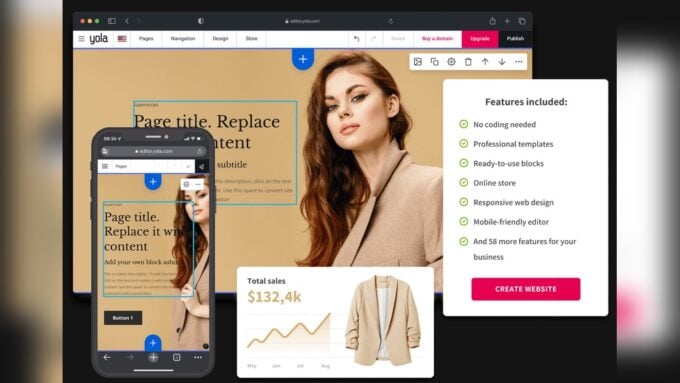
Website builders suit those who want quick, simple sites without hassle. They include hosting and maintenance in one package. Users get easy drag-and-drop tools and ready-made templates. Ideal for small businesses, portfolios, or personal blogs with limited tech skills.
WordPress fits users needing full control and flexibility. It demands managing hosting, security, and updates. Perfect for larger sites, online stores, or blogs with unique features. Offers thousands of plugins and themes for customization.
| Criteria | Website Builder | WordPress |
|---|---|---|
| Ease of Use | Very beginner-friendly | Steeper learning curve |
| Setup Time | Less than an hour | A few days to a week |
| Maintenance | Fully managed automatically | Manual updates and security |
| Customization | Limited to templates and apps | Unlimited via code and plugins |
| Hosting | Included in subscription | Bought separately |
Popular Platforms Comparison
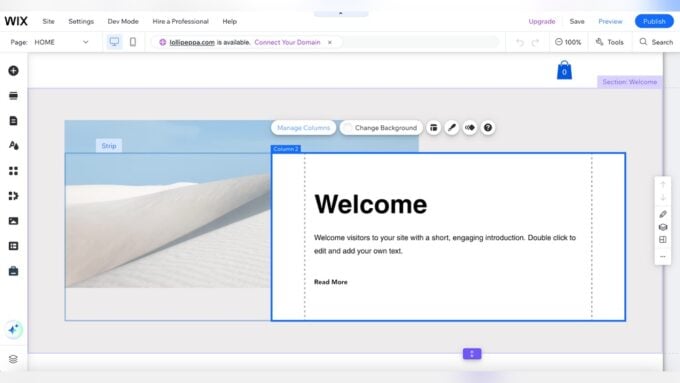
Wix offers a very user-friendly interface. It includes drag-and-drop tools that help create websites quickly. Hosting and domain services come bundled in one plan. However, customization is limited to the templates and apps Wix provides. Maintenance and updates are handled automatically by Wix, making it easy for beginners.
Squarespace is known for its beautiful templates and strong design options. It also bundles hosting and domain services. Squarespace focuses more on visuals, so customization options are somewhat restricted. Like Wix, it manages updates and security automatically. Setup is fast, usually under an hour.
Hostinger is a web hosting provider that supports WordPress and other platforms. It offers affordable hosting with good performance. Users must handle installations and updates themselves. Hostinger gives more control but requires technical knowledge. It is a good choice for those who want flexibility without the all-in-one platform limits.

Credit: eliteweb.co
How Our Company Can Help You with Website Builder Vs WordPress
Practical Learning Opportunities in Choosing Between Website Builders and WordPress
Understanding the differences between Website Builders and WordPress opens up valuable practical learning opportunities, especially when considering ease of use, customization, and ongoing maintenance. For beginners or small business owners, exploring how website builders simplify the setup process can offer hands-on experience with drag-and-drop interfaces and integrated hosting. This practical exposure helps grasp fundamental web design concepts without overwhelming technical demands.
On the other hand, diving into WordPress encourages learning about flexibility and scalability, including managing themes, plugins, and SEO capabilities. Since WordPress requires more involvement in maintenance and updates, it also presents a chance to develop skills in website administration and troubleshooting. HostingAdvise’s balanced, evidence-based reviews and guides can serve as a trusted resource for those wanting to deepen their understanding, backed by verified user feedback and official documentation.
For additional insights or personalized guidance, reaching out to experienced web hosting experts can be beneficial. They can clarify migration considerations and cost factors, helping you make informed decisions as you build or grow your online presence.
Frequently Asked Questions
Why Are People Moving Away From WordPress?
People move away from WordPress due to its steep learning curve, manual maintenance, and complex hosting setup. Website builders offer easier use, faster setup, and managed hosting. Users prefer convenience and lower upkeep over WordPress’s flexibility and control.
What Is Replacing WordPress?
Website builders like Wix and Squarespace are replacing WordPress by offering easier setup, automatic maintenance, and user-friendly design tools.
Why Don’t Big Companies Use WordPress?
Big companies avoid WordPress due to security risks, scalability limits, and high maintenance demands. They prefer custom, robust platforms.
Is WordPress Still The Best Way To Build A Website?
WordPress remains a top choice for website building due to its flexibility and full control. It suits users needing customization and ownership. Website builders offer easier setup but less freedom. Choose WordPress if you want scalability and control over your site’s design and data.
Conclusion
Choosing between a website builder and WordPress depends on your needs. Website builders offer quick setup and simple tools. WordPress provides more control and customization options. Consider your technical skills and growth plans. Both options can create a good website.
Think about ease of use versus flexibility. Pick the one that fits your budget and goals best. Starting simple or building complex sites is possible with either choice. Your website success depends on how well you use the tools.













Leave a comment